Import Scans
You may already have had a library before you set up Mnema, to help you import your existing series Mnema can scan a directory for you. After running a scan, you'll see a quick overview pop up on the import scan page. Showing you how many series you need to process.
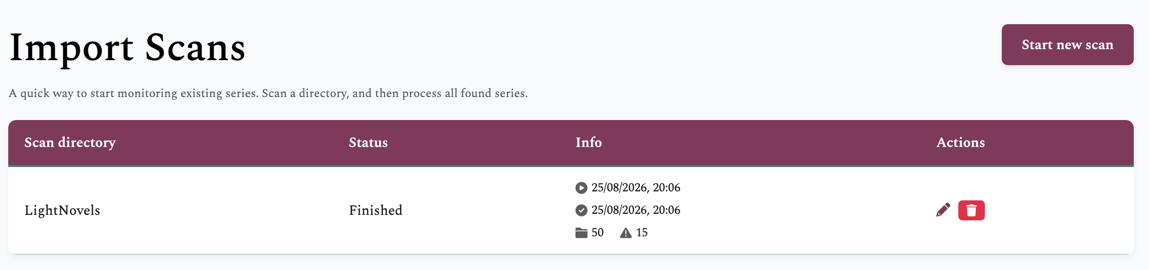
Scanner
The scanner is a very simple recursive process:
For the current directory, check if it contains any files at its root.
No ⇒ Get all subdirectories and repeat from step 1)
Yes ⇒ Assume this directory is a series and parse.
Parser
The parser for each series is very, again, simple
Are all files in the directory of the same type (cbz or epub)
No ⇒ Error, Yes ⇒ continue
Parse metadata out of the first file
Parse upstream metadata ids and try to link to an existing monitored series
If a successful link, mark as imported otherwise as queued
After a scan has finished, you can open the scan in the UI. And complete the information for all found series.
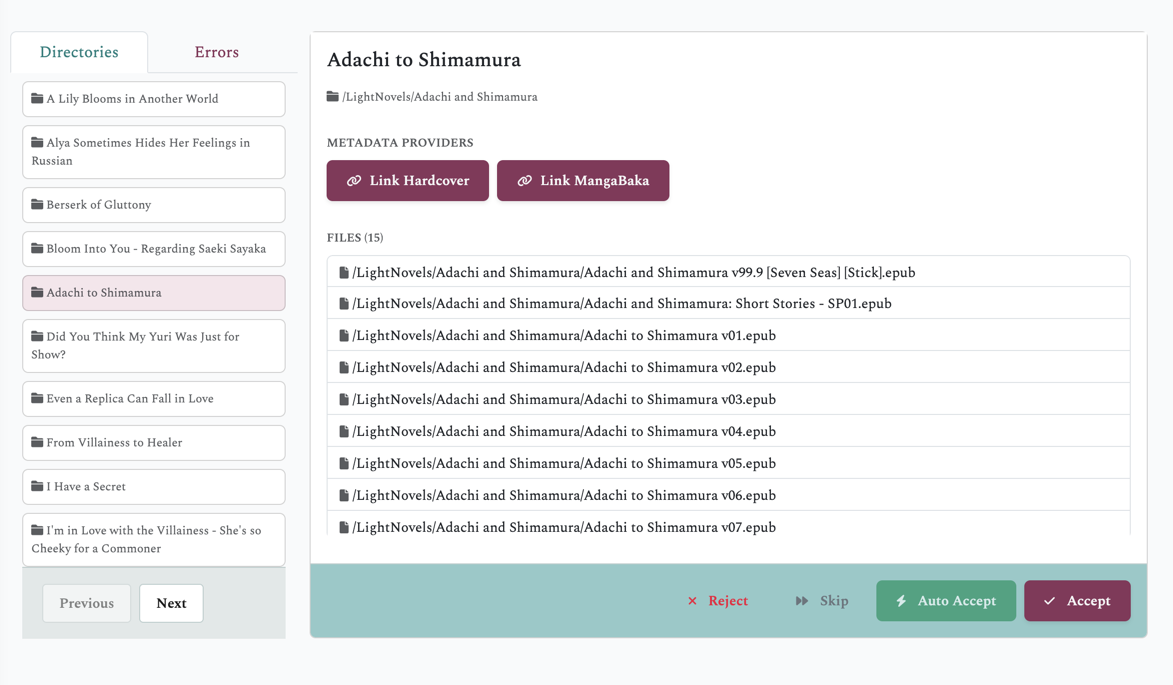
Actions
Action | When | Result |
|---|---|---|
Reject | You do not want to import this series | Moved to the back of the list, and marked in red |
Skip | You do not want to process this series now | Moved to the back of the list, and marked in gray (before reject) |
Auto Accept | The series has a Hardcover or Mangabaka id | Create a monitored series automatically from the available metadata |
Accept | Missing metadata, or in need of custom options | Open the monitor series modal for full customizability |
Errors
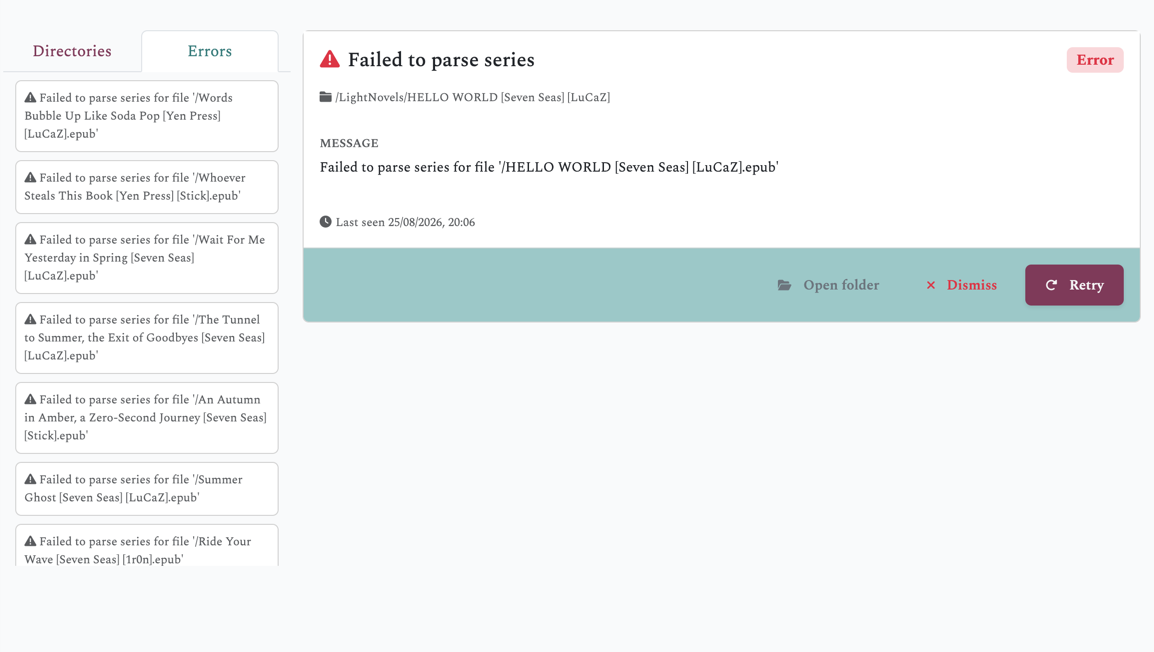
When a series cannot be imported, an error will appear.
Action | When | Result |
|---|---|---|
Open Folder | You want to view the failed directories content | Open directory modal showing files |
Dismiss | You do not want to deal with the error | Deletes the error |
Retry | You have resolved the error, and the import can try again | The error is removed, the directy tries to be imported again |